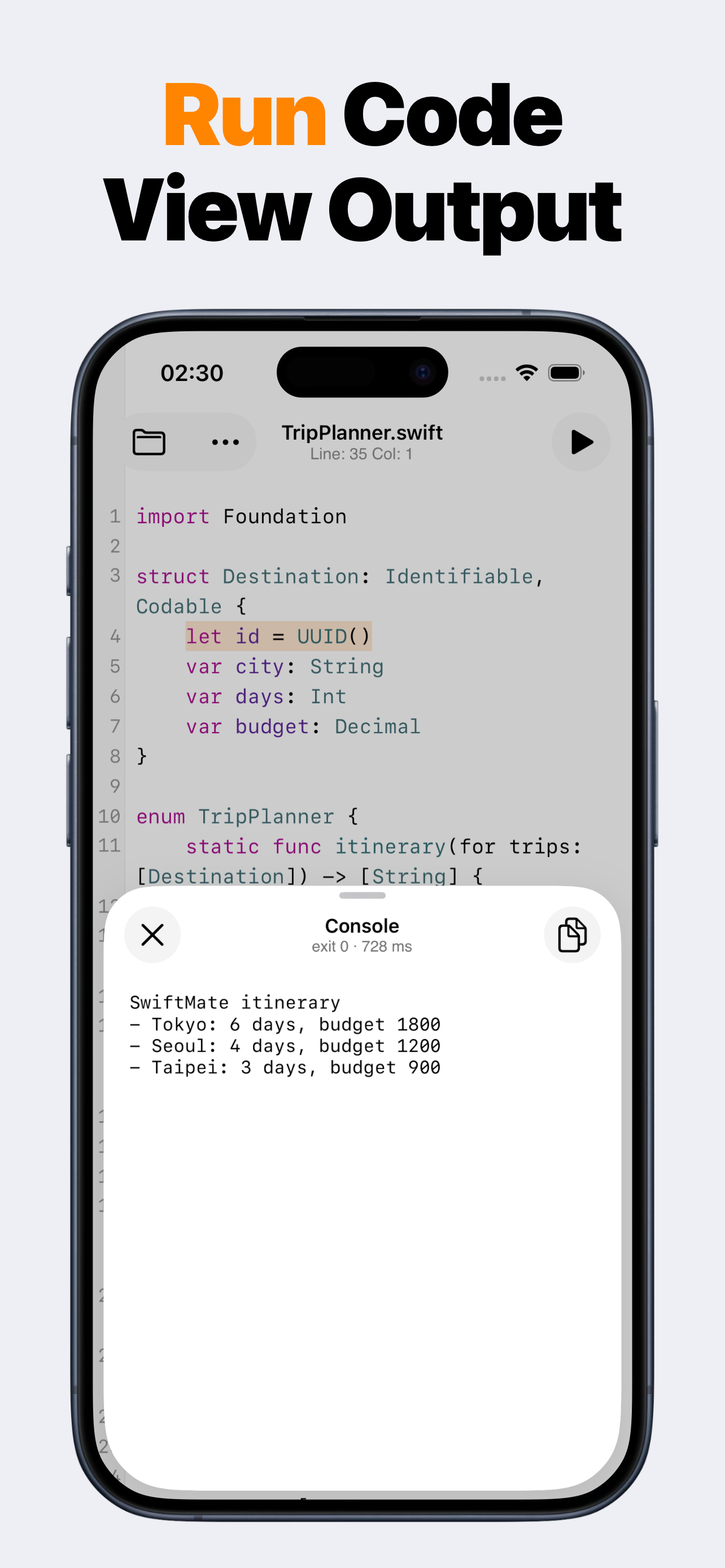
SwiftMate Swift compiler result and console on iPhone

Compile Swift snippets

Swift compiler for iPhone

SwiftMate works as a mobile client for compiling and running Swift snippets. The iPhone editor sends your code to a configured HTTPS Swift runner, then shows console output and compiler diagnostics. Compilation is remote, so SwiftMate is useful for focused exercises but is not a local Xcode toolchain.

iPhone + iPad Swift editor Console + diagnostics

See whether the snippet actually compiles

Syntax coloring can make code easier to read, but only a compiler can confirm that the source is valid for an available Swift toolchain. SwiftMate sends the current snippet to the runner and returns the compiler result to the same mobile workflow.

When the code fails, diagnostics provide a concrete place to start. When it succeeds, the console shows the program output, exit status, and duration so you can compare behavior across revisions.

  • Compiler-backed validation
  • Readable diagnostics
  • Console output
  • Execution duration
  • Selectable Swift versions when available
  • AST inspection for parsed structure

The compiler does not run locally on iPhone

SwiftMate is an editor and runner client. Run and AST actions require an internet connection because compilation and inspection happen on the configured backend. Files remain local until you choose one of those actions.

Runner capabilities determine which Swift versions, frameworks, and packages are available. A snippet that depends on an Apple-only UI framework, device hardware, an Xcode project, or a package missing from the runner may not compile even when it works in another environment.

SwiftMate is designed for compact Swift programs. It does not compile complete signed iPhone applications or produce App Store builds.

What to compile with SwiftMate

Good candidates include language syntax, loops, functions, protocols, structs, enums, Codable models, collection operations, date formatting, text processing, data structures, and algorithm exercises. Keep each experiment small enough that the output and diagnostics stay easy to understand.

Move full app architecture, interface previews, signing, testing, and distribution to Xcode or another environment built for complete Apple-platform projects.

SwiftMate FAQ

What is SwiftMate?

SwiftMate is a Swift code editor and hosted runner for iPhone and iPad. Use it to write short Swift programs, organize files, run snippets, read console output and compiler diagnostics, and inspect code structure without opening a Mac for every small experiment. Learn more about SwiftMate.

Can SwiftMate run Swift code on iPhone?

Yes. Write or import a Swift snippet, tap Run, and SwiftMate sends the code over HTTPS to its configured Swift runner. The result returns to the in-app console with output, exit status, duration, and diagnostics when available. Learn more about running Swift code.

Does my Swift code stay on the device?

Files stay local while you edit and organize them. When you choose Run or AST, the source and optional input must be sent to the runner backend for compilation or inspection. Source code and console contents are excluded from product analytics and crash-report parameters. Learn more in the SwiftMate FAQ.

Does SwiftMate replace Xcode?

No. SwiftMate is built for snippets, exercises, algorithms, and fast experiments. It does not build or sign complete iOS apps, run an iOS Simulator, show live SwiftUI previews, archive projects, or submit apps to App Store Connect. Compare SwiftMate and Swift Playgrounds.

Can I use SwiftMate on iPad?

Yes. SwiftMate supports iPad with a wider editor layout, file navigation, completion suggestions, console output, and the same core snippet workflow available on iPhone. Learn more about SwiftMate on iPad.

What does SwiftMate Premium add?

Premium can unlock broader run access, image-to-code import, custom snippets, pro editor fonts, additional Swift versions, and AST inspection. Exact products, prices, quotas, and availability can vary, so check the current App Store offer before purchasing. Learn more in the SwiftMate FAQ.