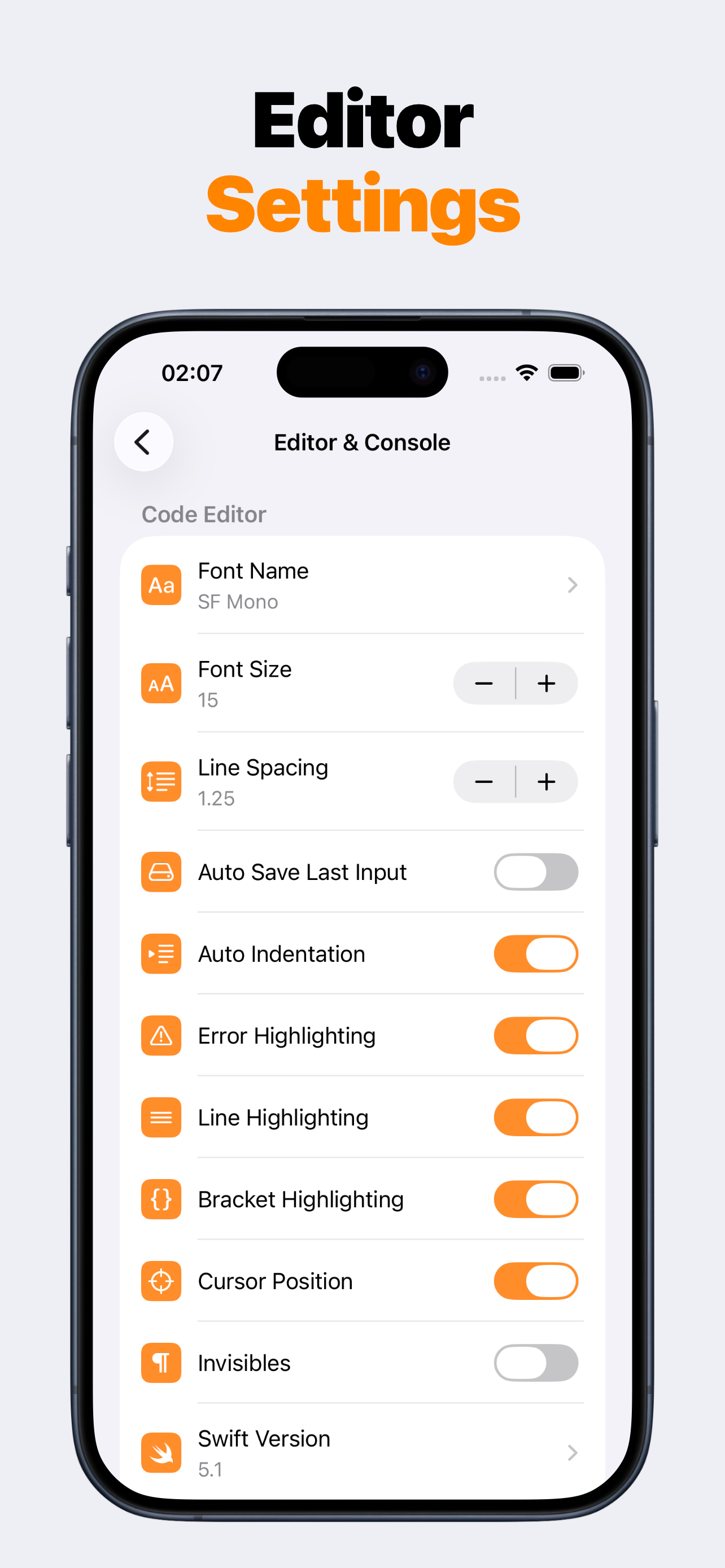
SwiftMate editor settings on iPhone

Straight answers before you download

SwiftMate FAQ

SwiftMate is a Swift editor and hosted code runner for iPhone and iPad. Files stay local while you edit, Run and AST send source to the configured backend, Premium can unlock advanced tools, and the app is intended for snippets and learning rather than complete iOS app builds.

iPhone + iPad Swift editor Console + diagnostics

What you can do in SwiftMate

Write Swift with syntax highlighting, line numbers, search, indentation, smart pairs, completions, and keyboard tools. Create and organize local files, import and export code, run compact snippets, read console output and diagnostics, and inspect AST results when available.

Premium can expand the workflow with image-to-code import, custom snippets, additional fonts and Swift versions, AST tools, and broader run access. Current products and limits are shown in the app and App Store.

  • Swift editor with syntax highlighting and line numbers
  • Search, smart pairs, automatic indentation, and keyboard tools
  • Local completion suggestions from Swift keywords, snippets, common symbols, and the current document
  • Create, autosave, rename, duplicate, delete, import, export, and share Swift files
  • Run Swift snippets through the configured HTTPS runner
  • Console output with exit status, duration, stdout, stderr, and compiler diagnostics
  • AST inspection for understanding parsed code structure
  • Image-to-code import for bringing photographed or screenshot code into the editor

What leaves the device

Local editing and file organization stay on the device. When you tap Run or AST, source code and optional input are sent over HTTPS to the configured backend because compilation and inspection happen there.

SwiftMate's analytics and crash-report integrations exclude source code, stdin, stdout, stderr, compiler output, file names, and file contents. You should still avoid submitting credentials, private keys, secrets, or confidential production source to any hosted runner.

Internet access and runner availability are required for code execution and AST inspection.

What SwiftMate is not

SwiftMate is not Xcode, a local iOS compiler toolchain, an iOS Simulator, a SwiftUI preview canvas, or an App Store submission tool. Runner frameworks, Swift versions, packages, time limits, output limits, and quotas can differ from a Mac development environment.

Use SwiftMate for focused code practice and experiments. Move to Xcode or Swift Playgrounds when the task needs a complete Apple-platform app project.

SwiftMate FAQ

What is SwiftMate?

SwiftMate is a Swift code editor and hosted runner for iPhone and iPad. Use it to write short Swift programs, organize files, run snippets, read console output and compiler diagnostics, and inspect code structure without opening a Mac for every small experiment. Learn more about SwiftMate.

Can SwiftMate run Swift code on iPhone?

Yes. Write or import a Swift snippet, tap Run, and SwiftMate sends the code over HTTPS to its configured Swift runner. The result returns to the in-app console with output, exit status, duration, and diagnostics when available. Learn more about running Swift code.

Does my Swift code stay on the device?

Files stay local while you edit and organize them. When you choose Run or AST, the source and optional input must be sent to the runner backend for compilation or inspection. Source code and console contents are excluded from product analytics and crash-report parameters. Learn more in the SwiftMate FAQ.

Does SwiftMate replace Xcode?

No. SwiftMate is built for snippets, exercises, algorithms, and fast experiments. It does not build or sign complete iOS apps, run an iOS Simulator, show live SwiftUI previews, archive projects, or submit apps to App Store Connect. Compare SwiftMate and Swift Playgrounds.

Can I use SwiftMate on iPad?

Yes. SwiftMate supports iPad with a wider editor layout, file navigation, completion suggestions, console output, and the same core snippet workflow available on iPhone. Learn more about SwiftMate on iPad.

What does SwiftMate Premium add?

Premium can unlock broader run access, image-to-code import, custom snippets, pro editor fonts, additional Swift versions, and AST inspection. Exact products, prices, quotas, and availability can vary, so check the current App Store offer before purchasing. Learn more in the SwiftMate FAQ.